Built for tuition teachers
Spend Less Time Managing Classes. More Time Teaching.
Manage student attendance, keep track of class payments, and organize your tuition classes in one simple platform.
Built for the everyday needs of Sri Lankan tuition teachers.
- Nothing to install
- Works on your phone and computer
- We set up your account with you
The problem
Teaching Is Your Job. Administration Shouldn't Take Over.
Running tuition classes involves more than teaching. Keeping records, tracking attendance, and remembering payments can take up valuable time.
Attendance registers that are difficult to maintain.
Payment records spread across notebooks and spreadsheets.
Too much time spent checking student information.
Difficulty organizing multiple classes.
The solution
Everything You Need to Manage Your Classes
Keep your essential class records organized and accessible, so you can focus on your students.
Student Management
Keep student information organized in one place, with a student ID number and parent contact details.
Learn moreAttendance Tracking
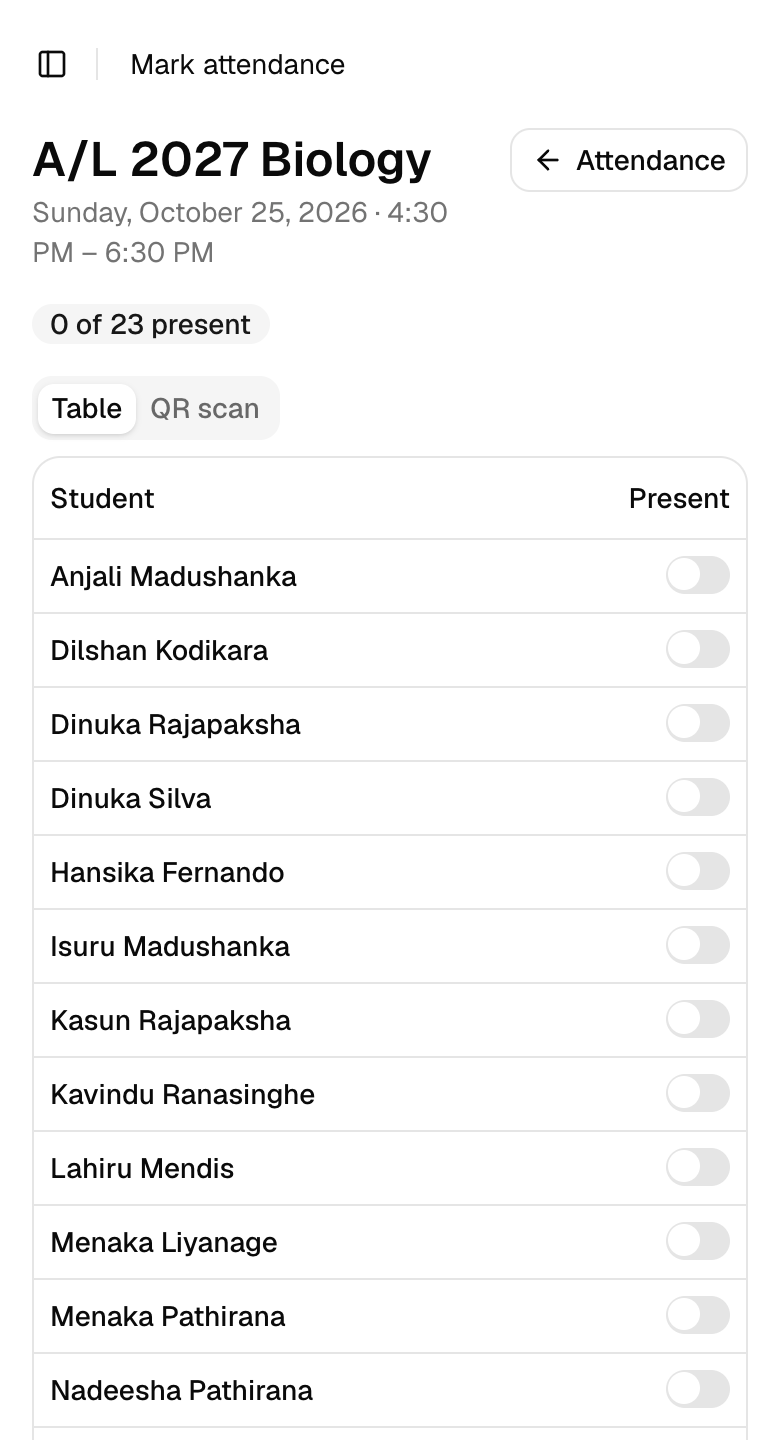
Record and review attendance on your phone, by scanning QR cards or ticking a list, instead of a paper register.
Learn morePayment Tracking
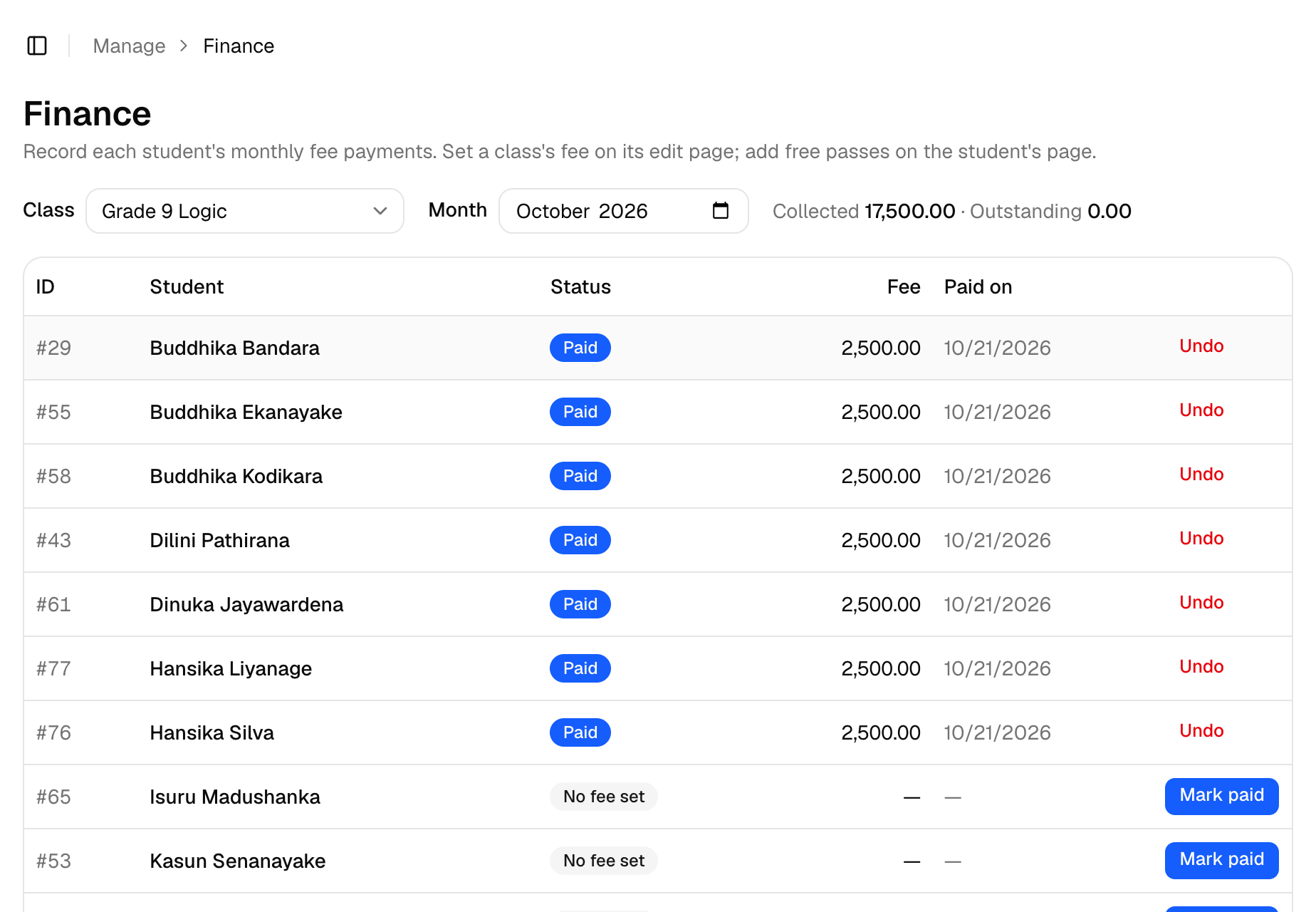
Keep class payment records organized and see at a glance who still owes for the month.
Learn moreClass Management
Organize your classes, their weekly schedules and their students in one convenient place.
Learn moreReports and Records
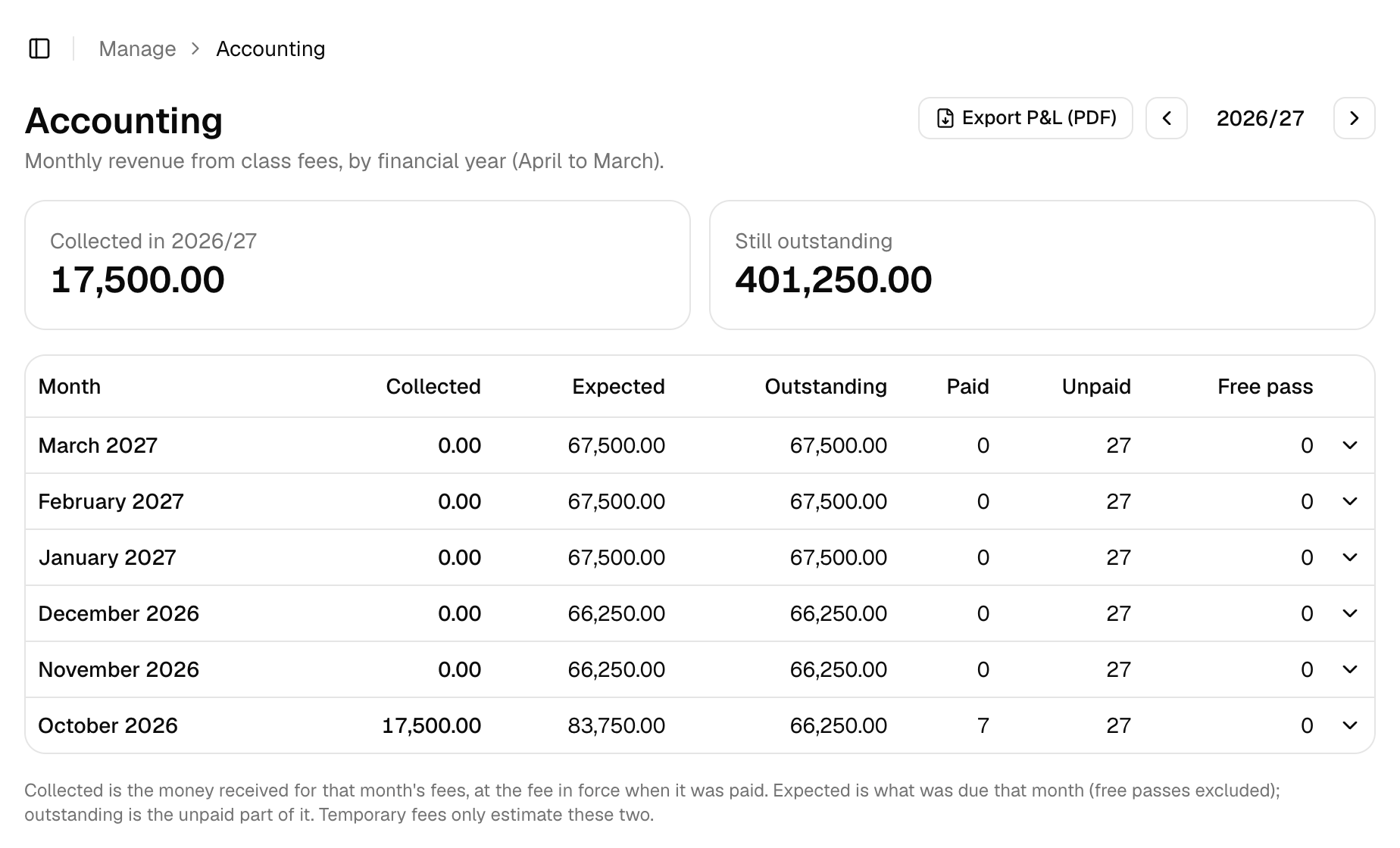
Review what you've collected and what's outstanding, month by month, and export a profit and loss PDF.
Learn moreStudent ID Cards
Print QR ID cards for your students, ten to an A4 sheet, ready for quick attendance at the door.
Learn moreThe benefits
More Time for Teaching. Less Time on Administration.
- Spend less time searching through records.
- Keep attendance and payment information organized.
- Manage multiple classes more conveniently.
- Access the information you need quickly.
- Spend more time focusing on teaching.


Made for Sri Lanka
For the Classes That Shape Our Students
From Grade 5 scholarship classes to O/L and A/L, tuition is part of growing up here. Class Tracker is built around how your classes actually run: a monthly fee for each class, weekend batches, an April to March financial year, and a parent's phone number on every student's record.
How it works
Get Started in Three Simple Steps
- 1
Request your account
Tell us about your classes. We create your Class Tracker account and send you an invitation.
- 2
Set up your classes and add your students
Add each class with its schedule and fee, then your students with their parent's phone number.
- 3
Start tracking attendance and payments
Mark attendance, record payments and check your records from your phone or computer.
We'll do the first step with you.
Leave your details and we'll set up your account and help you add your first classes.
Built to be trusted
Your Students' Details and Payments Deserve Care
Your records stay private
Your records are kept separate from every other teacher's, enforced by the database itself. Only people you approve can see them.
Past payments don't change
Every payment keeps the amount actually paid. Changing a class fee never rewrites last month.
Assistants see only what they need
If someone helps you, they can have their own login that shows only the parts they need, such as attendance.
How much does it cost?
Class Tracker is a monthly subscription for teachers. We'll explain the price when we call you, and you'll know exactly what you'll pay before you start. You won't be charged for anything you haven't agreed to.
How do I get started?
Press Get Started and leave your details. We'll call you, create your Class Tracker account and help you add your first classes. You'll get an email invitation to set your password, or you can sign in with your Google account.
Can I manage more than one class?
Yes. Add as many classes and subjects as you teach, each with its own schedule, fee and students. A student can attend several of your classes and still has one record.
Who can see my records?
Only you and anyone you ask us to give access to. Every teacher's records are kept separate, and that separation is enforced by the database itself, not just hidden in the screens.
Ready to Manage Your Classes More Easily?
Bring your essential class records together with Class Tracker.
- Nothing to install
- Works on your phone and computer
- We set up your account with you